
When your robot vacuum can't find its dock, it can interrupt cleaning cycles and point to navigation, sensor, or placement issues. In many cases, the cause is simple—such as poor dock placement, clutter near the base, dirty sensors, or outdated mapping data—and can be fixed in minutes.
Quick Summary
- Most docking problems are caused by poor dock placement, blocked paths, dirty sensors, or mapping errors.
- Robot vacuums find their dock using infrared signals, LiDAR mapping, or camera-based navigation—each type has different failure points.
- Start with simple fixes such as clearing obstacles, cleaning charging contacts, and repositioning the dock.
- Low light, multi-floor layouts, and cluttered rooms can make docking more difficult for some robot vacuums.
- Firmware updates, map resets, and sensor recalibration can help when basic troubleshooting does not work.
- Docking behavior varies by brand—Roborock, Shark, Roomba, Dreame, and Deebot each have common issues and fixes.
- Narwal robot vacuums use LiDAR 4.0, AI vision, and self-maintenance technology to improve docking accuracy.
How Do Robot Vacuums Find Their Dock?
Robot vacuums use one or more guidance systems to locate and return to their docking station. Understanding how your model navigates home can help you troubleshoot docking failures more effectively.
Infrared (IR) signals are the most common method. The dock emits an IR beam, and the robot follows it during the final approach. This is standard on most Roborock, Shark, Roomba, and budget models. IR docking can fail when sensors are dirty, the signal is blocked, or nearby devices emit competing infrared light.
LiDAR (laser-based mapping) creates a 360° map of your home and tracks the dock's position within that map. Models with LiDAR—such as higher-end Roborock, Dreame, and Narwal vacuums—can calculate a return route from anywhere in the house. Docking issues with LiDAR models are usually caused by corrupted maps or a relocated dock that hasn't been remapped.
Camera-based navigation uses onboard RGB cameras to recognize visual landmarks and the dock itself. This approach works well in good lighting but can struggle in dark rooms or when the dock is visually obstructed.
Most mid-range and premium robot vacuums combine two or more of these systems. For example, Narwal Flow pairs LiDAR 4.0 with dual RGB cameras and IR sensors for close-range alignment.
Why Your Robot Vacuum Can't Find Its Dock
The problem usually comes down to one of six common causes related to power, placement, sensors, software, or connectivity.
1. Low Battery or Interrupted Charging
If the battery runs too low, your robot may stop before it reaches the dock. Some models also fail to recharge properly when the charging contacts are dusty or misaligned.
Tip: Keep the charging pins clean and let the robot rest on the dock for several minutes before restarting a cleaning session.
2. Poor Dock Placement
A docking station placed in a corner, near stairs, or beside reflective surfaces such as mirrors can confuse the robot's sensors.
Best practice:
- Leave at least 1.5 meters (5 ft) of open space on both sides
- Keep 1 meter (3 ft) of open space in front
- Avoid placing the dock under furniture or behind obstacles
- Place the dock on a flat, solid surface away from direct sunlight
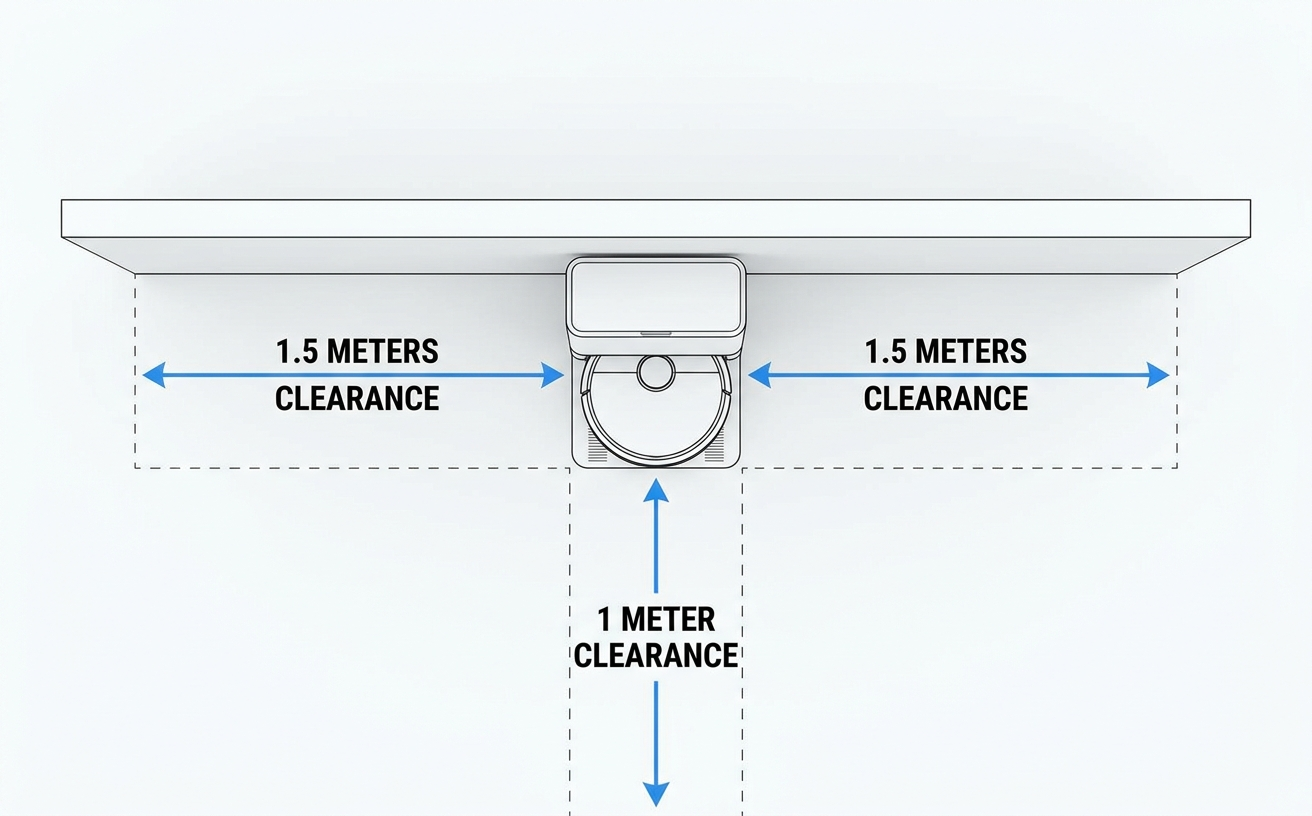
Recommended dock placement with proper clearance on all sides
Robot vacuums rely on infrared or LiDAR sensors to detect and approach the dock. Cables, toys, pet bowls, and rugs can block that path or interfere with the approach.
Regularly clear the floor around the dock and maintain a visible, open return path.
4. Dirty or Obstructed Sensors
Dust, pet hair, and debris on docking sensors can interfere with infrared detection. Wipe sensors with a soft, dry cloth once a week. In homes with pets or heavy dust, cleaning every three days can help maintain consistent docking.
See our guide on cleaning and maintaining robot vacuum sensors for detailed steps.
5. Software or Mapping Errors
Outdated firmware or corrupted maps can make your vacuum lose track of the dock location. Check the app for updates or remap your home after major furniture changes. Many modern vacuums, including Narwal Freo models, can update navigation data through Wi-Fi.
6. Weak Wi-Fi Connection (for App-Controlled Models)
If the vacuum depends on Wi-Fi for real-time positioning or app-based coordination, a weak signal near the dock can cause errors.
Common Docking Problems in Different Home Environments
Docking performance can change depending on room layout, lighting, and floor setup.
| Environment | Typical Issue | Solution |
|---|---|---|
| Low-light rooms | Camera-based robots can't recognize dock markers | Add ambient lighting or use models with LiDAR navigation |
| Large open areas | Long return routes can drain battery before docking | Use multi-zone mapping or mid-cycle charging |
| Multi-floor homes | Map confusion after relocation | Set up separate maps for each floor |
| Cluttered rooms | Obstacles interfere with the docking path | Keep a 1-meter safe zone around the dock |
How to Fix Robot Vacuum Docking Issues Step by Step
Work through these fixes in order, starting with the simplest and moving to more involved checks.
Your robot needs space and a clear line of approach to locate its base.
Place the dock against a flat wall. Follow the placement guidelines in the causes section above. Avoid placing it near mirrors, curtains, or stairs.
2. Clear Obstacles Around the Dock
Before each cleaning cycle:
- Remove cables, shoes, pet bowls, and toys within a 1-meter radius
- Roll up rugs or cords that may block the path
- Make sure the robot has a straight, visible route back to the dock
3. Check the Wheels and Brushes
Hair, dust, and debris can reduce mobility and cause the robot to stop before it reaches the dock.
Quick maintenance checklist:
- Inspect wheels for stuck debris
- Clean the main brush and side brushes
- Empty the dustbin if it is full
4. Clean Docking and Infrared Sensors
Dirty charging contacts and sensors are a common cause of docking failure.
Use a soft microfiber cloth to clean:
- The charging contacts on both the dock and the robot
- The cliff and infrared sensors, usually on the underside or front
Avoid wet wipes, which can damage protective coatings.
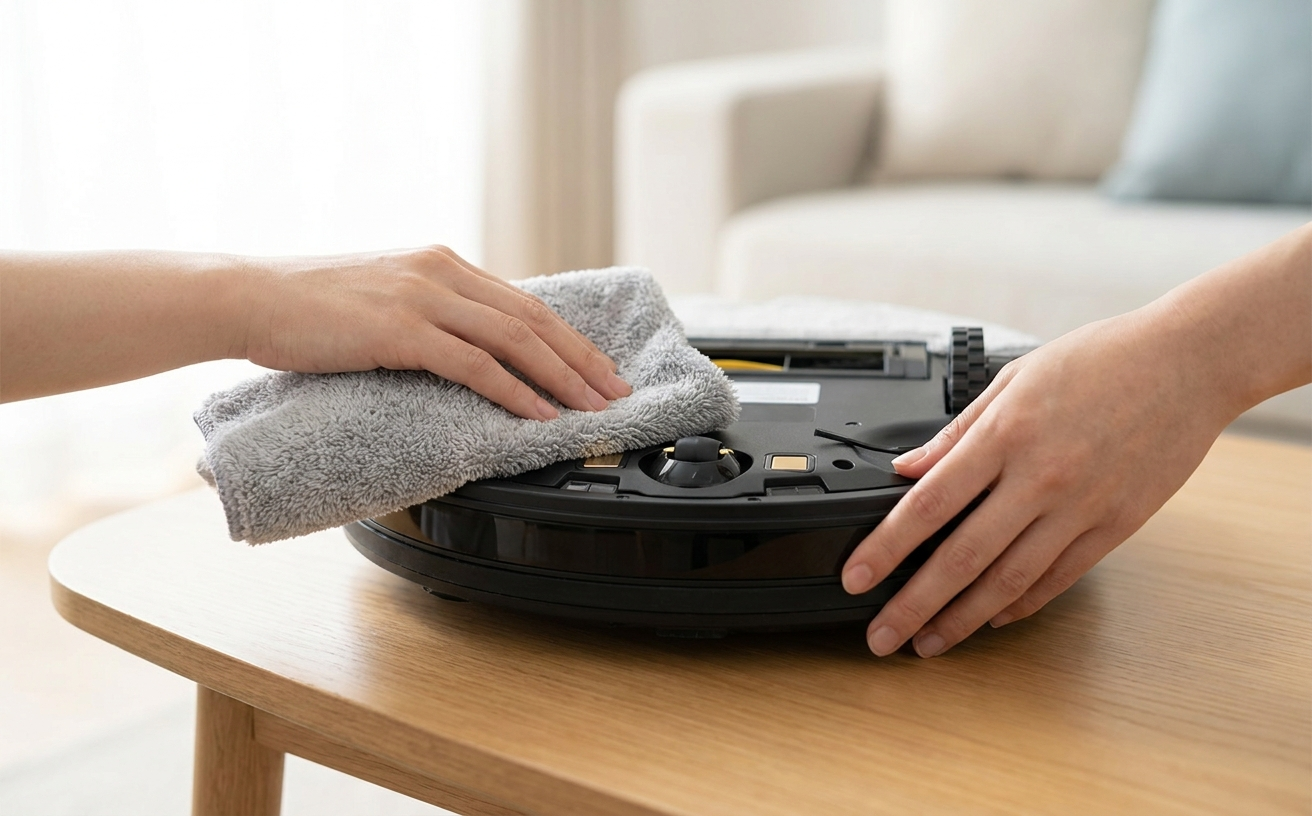
Cleaning the infrared sensors and charging contacts on a robot vacuum
If your robot keeps wandering, spinning, or stopping near the dock, its map may be outdated or corrupted.
Try this:
- Open your vacuum's app
- Delete or reset the existing map
- Restart the mapping process from the dock position
- Update the firmware if available
For Narwal models like the Flow or Freo Z10 Ultra, navigation can also be recalibrated directly in the app without a full reset.
6. Strengthen Wi-Fi and Power Connection
For app-controlled models, unstable Wi-Fi or power can interrupt communication with the dock.
Check the following:
- Move your router closer to the dock
- Avoid placing the dock behind thick walls or large appliances
- Make sure the dock's power adapter is securely connected
Dock Placement Mistakes to Avoid
| Mistake | Why It Matters | Quick Fix |
|---|---|---|
| Dock too close to wall corners | Limits approach angles | Move it to a more open wall space |
| Dock on carpet | Can affect charging contact alignment | Place it on a hard surface |
| Dock near mirrors | May reflect infrared signals | Relocate it to a non-reflective area |
| Dock facing stairs | Can trigger cliff sensors | Move it at least 1.5 m away from stairs |
Maintenance Tips to Prevent Docking Failures
Weekly:
- Wipe sensors and charging pins
- Empty the dustbin after each cleaning
Monthly:
- Check brush rollers for tangles
- Update the firmware through the app
- Reposition the dock if you have rearranged furniture
Advanced Fixes When Basic Troubleshooting Doesn't Work
If the steps above did not resolve the issue, the problem may lie deeper in the software, sensor calibration, or signal environment.
A reboot can clear temporary glitches and recalibrate the robot's sensors.
Steps:
- Turn off the robot vacuum using the main power switch or app
- Unplug the docking station for 60 seconds
- Reconnect the dock and restart the vacuum
- Place the robot on the dock manually to reset the home reference
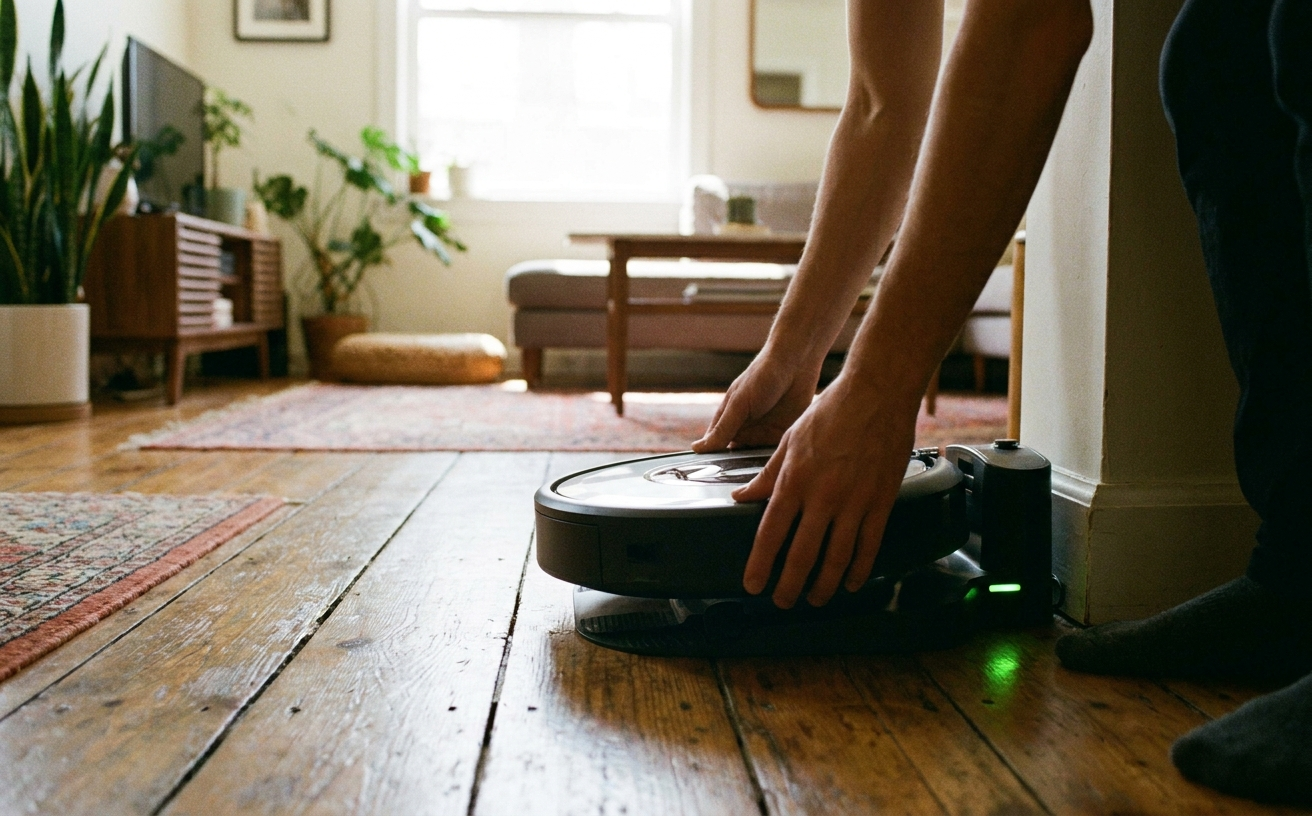
Manually placing a robot vacuum on the dock to reset the home position
Outdated firmware can reduce docking precision and create mapping issues.
How to check:
- Open the vacuum's app
- Go to Device Settings → Firmware Update
- Install any available update before the next cleaning cycle
Some models, such as Narwal Freo Z10 Ultra, support OTA updates that improve navigation and docking logic automatically.
3. Reset the Map and Rebuild Navigation Data
If the vacuum repeatedly stops near the dock or misses it entirely after a basic map reset, a full rebuild may be needed.
To fix this:
- Delete the existing map in the app
- Place the robot on its dock
- Start a new mapping run
- Allow the vacuum to complete a full cleaning cycle without interruption
4. Recalibrate Dock Sensors
Most robot vacuums use infrared or laser-based sensors to detect the dock. Over time, those sensors can lose accuracy.
Try this:
- Clean all infrared sensors and charging contacts
- Run a sensor calibration command in the app, if available
- If not available, restart mapping in a well-lit room so visual sensors can relearn the dock location
For example, Narwal Freo X10 Pro uses structured light and LiDAR to automatically recalibrate during navigation.
5. Check for Magnetic or Infrared Interference
Nearby devices can interfere with docking signals.
Common sources of interference:
- Air purifiers
- Infrared heaters
- Reflective metal furniture
- Mirrors close to the dock
Move the dock away from these items and keep the surrounding area as neutral as possible. If you use multiple robots at home, give each one a separate dock location.
6. Factory Reset (Last Resort)
If nothing else works, a factory reset may clear persistent memory or configuration errors.
Warning: This will erase saved maps and schedules.
Follow the manufacturer's reset instructions carefully. For example:
- Roborock / Shark: Hold the Dock and Spot Clean buttons simultaneously
- Narwal Freo series: Use the app reset function under Advanced Settings
For a detailed walkthrough on resetting different robot vacuum brands, see our guide on how to reset a robot vacuum.
Docking Problems by Brand: Roborock, Shark, Roomba, and More
Docking issues often have brand-specific causes. Below are the most common problems and fixes for each major brand.
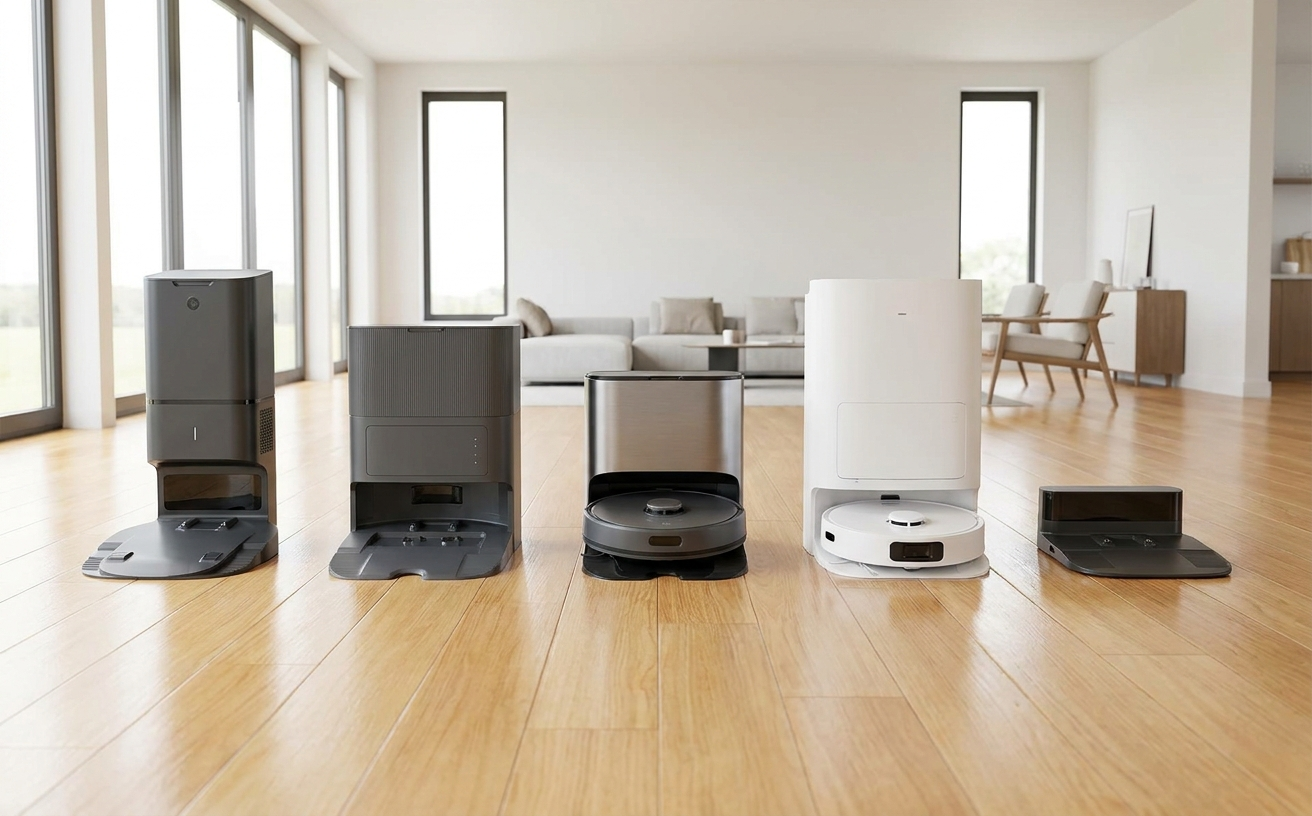
Different robot vacuum dock designs vary in shape, size, and sensor layout
Roborock models such as the S7, Q7, and Q Revo series rely on LiDAR mapping combined with IR dock detection. The most frequent docking failure is map corruption after moving furniture or relocating the dock. If your Roborock can't find the dock, open the Roborock app, delete the current map, place the robot on the dock, and run a new mapping cycle. Also clean the LiDAR sensor on top of the unit—dust buildup can degrade mapping accuracy. For models like the Q Revo that use a multi-function dock, make sure the dock's IR window on the front is not blocked by the water tank or drip tray.
Shark
Shark robot vacuums, including the Ion and AI series, primarily use IR signals for docking. The most common issue is a weak or obstructed IR signal. Clean the IR sensor windows on both the robot's front and the dock's emitter. Shark docks are also sensitive to placement on carpet, which can misalign the charging contacts. Place the dock on a hard, flat surface. If your Shark robot vacuum is not going back to the dock after cleaning, check that BotBoundary strips are not blocking the return path.
Roomba (iRobot)
Roomba models use a combination of IR homing beacons and onboard navigation. If your Roomba can't find home, start by cleaning the IR receiver window on the front bumper and the emitter on the dock. On newer Roomba j-series and s-series models, a corrupted map can also prevent docking—delete the map in the iRobot app and let the robot remap. For older Roomba 600 and 900 series, a common fix is to remove and reseat the battery, then place the robot manually on the dock to re-establish the home position.
Deebot (Ecovacs)
Ecovacs Deebot models use either LiDAR or visual SLAM for navigation, depending on the series. When a Deebot can't find its charging station, the issue is often a relocated dock without an updated map. Open the Ecovacs app, go to the map editor, and reset the dock position. For models with TrueMapping LiDAR, clean the LiDAR window on the top turret. Deebot models are also known to struggle with docking when the dock is placed near glass doors or highly reflective surfaces.
Dreame
Dreame robot vacuums such as the L20 Ultra and X30 Ultra use LiDAR and 3D structured light for navigation. If your Dreame is not returning to the dock, first check whether the dock has been moved since the last mapping run. If so, update the dock position in the Dreamehome app. Dreame models can also fail to dock when the charging contacts on the robot's underside are coated with cleaning solution residue—wipe them with a dry cloth.
| Brand | Most Common Cause | Recommended Fix |
|---|---|---|
| Roborock | Map corruption after furniture changes | Delete map, remap, and clean LiDAR sensor |
| Shark | Weak IR signal or dock on carpet | Clean IR ports, move dock to hard surface |
| Roomba | Dirty IR receiver or stale map | Clean bumper sensor, reset map in app |
| Deebot | Dock relocated without map update | Reset dock position in app, clean LiDAR window |
| Dreame | Dock moved or dirty charging contacts | Update dock position, wipe contacts |
| Dyson | Dock misalignment or unstable base | Place dock on firm, level surface |
| Narwal | Temporary AI recalibration delay | Run a full cycle to allow AI self-adjustment |
If docking failures continue after these steps, the issue may involve worn wheels, damaged sensors, or motor misalignment.
How Narwal Robot Vacuums Automatically Find and Dock Themselves
Narwal robot vacuums are designed to dock with high precision. Instead of relying only on infrared sensors, Narwal combines AI vision, LiDAR 4.0, and multi-sensor fusion to improve navigation and alignment.
LiDAR 4.0 Navigation Creates a 360° Map
Narwal vacuums scan the room in real time using LiDAR 4.0 (Light Detection and Ranging), creating a detailed 3D map of the home.
Key advantages:
- 360° scanning coverage with 3D mapping accuracy
- Recognizes obstacles and furniture edges up to 1 cm in height
- Supports multi-floor mapping for up to four levels
AI Vision and Dual RGB Cameras Enhance Docking Accuracy
High-end Narwal models, such as the Flow, use dual 136° RGB cameras with onboard AI chips. These cameras help the robot identify objects, lighting conditions, and landmarks so it can locate the dock more accurately.
AI advantages:
- Recognizes 200+ household items
- Detects the charging base from over 2 meters away
- Continuously adjusts approach angles for smoother docking
This dual-AI system operates locally rather than in the cloud, supporting fast response and privacy.
Adaptive Dock Position Memory
Narwal vacuums remember not only where the dock is, but how to reach it from different parts of the home. By combining distance, angle, and object recognition data, they can update the route in real time.
If the dock is moved, the robot can remap and recalibrate through the app-guided system. This helps reduce the chance of the robot getting lost after furniture changes or nighttime cleaning.
Docking Sensors Ensure Safe and Precise Landing
At close range, Narwal uses infrared sensors and electronic contact points to align with the dock.
Precision docking features:
- Millimeter docking tolerance, stopping within 3 mm of correct contact
- Auto power handshake for stable charging after alignment
- Infrared anti-bounce to reduce repeated approach attempts
This docking system is used in models such as Narwal Flow and Freo Z10 Ultra.
AI DirtSense™ and Environmental Adaptation
Narwal vacuums also adapt their cleaning and docking behavior based on dirt level, lighting, and floor type. Using AI DirtSense™, the robot can detect when mops or wheels need attention and return to the dock automatically when needed.
Smart behaviors:
- Returning mid-cycle for mop washing, then resuming cleaning
- Adjusting docking approach speed on different surfaces
- Automatically lifting mops up to 12 mm to protect carpets during return
Self-Cleaning and Auto-Maintenance Base
Narwal's dock functions as a charging base and a maintenance hub.
After docking, the robot can automatically begin:
- Mop washing with warm water up to 176°F
- Hot-air drying at 104°F
- Auto dust compression and self-emptying for up to 120 days of hands-free maintenance
The Flow and Freo Z10 Ultra models include AI Adaptive Hot-Water Washing, which adjusts temperature and cleaning time based on detected dirt levels.
Real-World Docking Performance
In internal Narwal lab tests, docking accuracy exceeds 99.7% under standard household lighting. In low-light or cluttered conditions, advanced models maintain stable docking through sensor redundancy and real-time recalibration.
| Model | Docking Accuracy | Navigation Type | Self-Maintenance Cycle |
|---|---|---|---|
| Flow | 99.8% | LiDAR + Dual RGB + AI Obstacle Detection | Real-Time Self-Clean |
| Freo Z10 Ultra | 99.9% | LiDAR + 3D Structured Light | Hot-Water Mop Wash |
| Freo X10 Pro | 99.7% | LiDAR + 3D Structured Light | Auto Wash + Dry |
When to Get Professional Help for Persistent Docking Problems
If your robot vacuum still fails to dock after multiple resets and sensor cleanings, the issue may require hands-on diagnosis from a qualified technician.
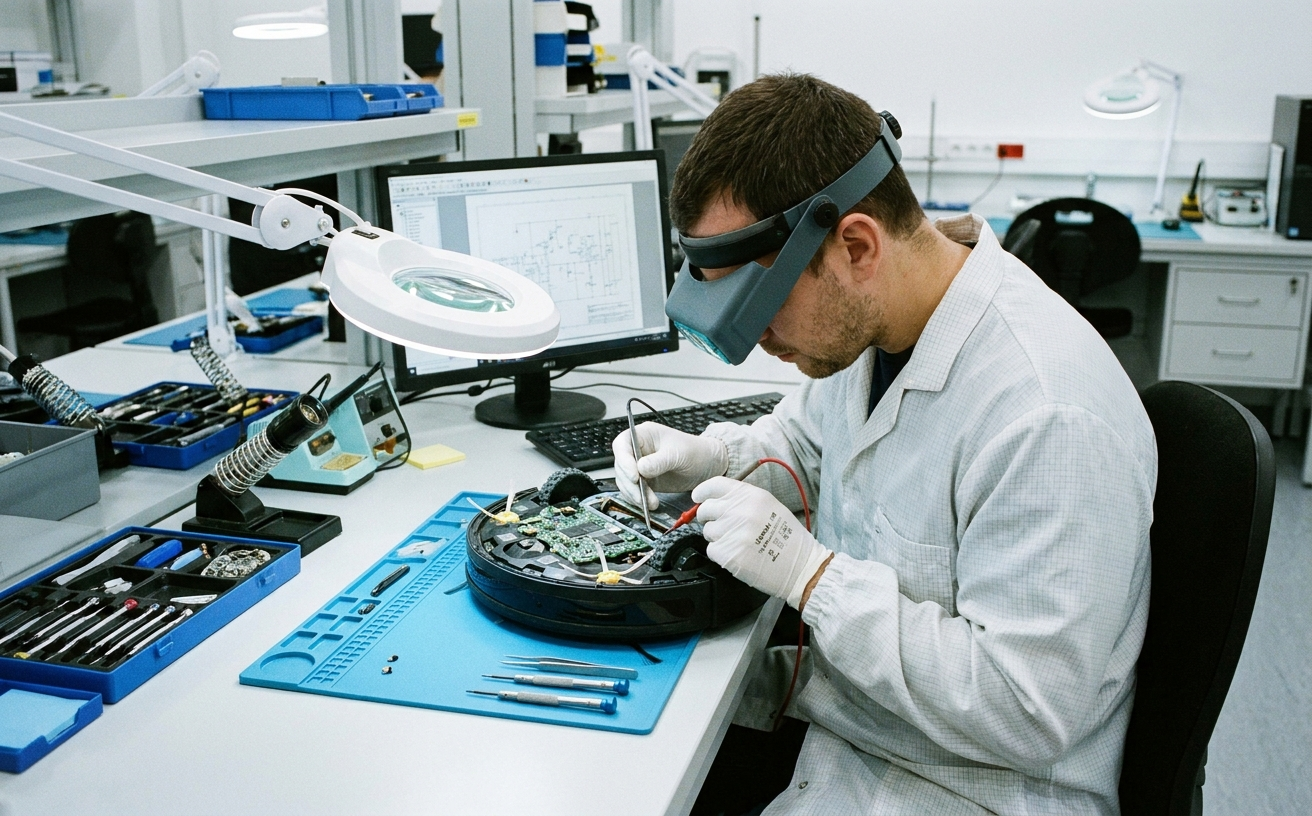
Technician diagnosing sensor and hardware issues inside a robot vacuum
You should contact the manufacturer's service team if you notice any of the following:
| Symptom | Possible Cause | Why It Matters |
|---|---|---|
| The robot never detects the dock | Sensor malfunction or IR port damage | May require component replacement |
| Docking error repeats after reset | Firmware corruption or motor fault | May need internal repair or software reflash |
| Random shutdowns before docking | Battery or motherboard issue | Can create unstable power draw |
| Strong odor or overheating near dock | Charging contact damage | May indicate a short-circuit risk |
| Wheels spin but robot stalls near dock | Navigation motor misalignment | May require mechanical calibration |
Check Your Warranty and Support Options
Before paying for a repair, check whether your vacuum is still under warranty. Many brands, including Narwal, Roborock, Shark, and Dyson, offer 12–24 months of coverage for hardware and sensor-related issues.
Steps to take:
- Find your purchase receipt or online order record
- Check the serial number on the robot or in the app
- Visit the official support page for warranty details
- Contact customer support through chat, app, or hotline
Narwal users can access remote diagnostics through the Narwal app, allowing technicians to identify sensor or software errors before repair.
How Professional Technicians Fix Docking Problems
Authorized service teams can run diagnostics and calibration that are not available at home.
Typical repair procedures:
- Replacing damaged IR or LiDAR sensors
- Recalibrating wheel alignment and navigation motors
- Testing charging contact voltage and battery output
- Reflashing or restoring firmware and navigation maps
Cost and Time Expectations
Repair time and cost depend on the issue and model.
| Issue Type | Typical Repair Time | Estimated Cost (AUD) |
|---|---|---|
| Sensor replacement | 3–5 business days | $80–$180 |
| Battery or motor replacement | 5–7 business days | $120–$230 |
| Firmware reflash / recalibration | 1–2 business days | Often free under warranty |
Narwal offers door-to-door pickup and delivery repair in select regions, which may reduce downtime.
When Repair Isn't Worth It
Replacing the robot may be more practical than repairing it if:
- The model is more than three years old
- Repair costs exceed 40% of the original purchase price
- The vacuum has multiple aging components, such as battery and sensor wear
Newer models like the Narwal Flow and Freo Z10 Ultra are designed with longer-life batteries and modular sensor arrays that can support easier long-term maintenance.
Preparing for Support or Replacement
Before sending your robot for repair or requesting a replacement:
- Back up or export your cleaning map if the app supports it
- Clean the device and empty the dustbin
- Take photos or videos of the docking failure
- Include the serial number, order ID, and a short issue description
FAQ
Why does my robot vacuum stop before reaching the dock?
This often happens when the battery runs too low or when wheels or brushes are blocked by hair or debris. Clean the brushes, inspect the wheels, and make sure the dock's charging contacts are properly aligned.
Do lighting conditions affect docking accuracy?
Yes. Robots that use cameras for navigation may struggle in low light. Adding ambient lighting near the dock can help. LiDAR-based models are generally less affected by dark rooms.
How often should I clean docking sensors and contacts?
Clean sensors and charging pins once a week, or more often if you have pets or a dusty home. Use a soft, dry microfiber cloth on both the robot's sensors and the dock's IR emitter and charging contacts.
Should I repair or replace my robot vacuum if docking still fails?
If the vacuum is still under warranty, contact the manufacturer first. If it is more than three years old or repair costs exceed 40% of the purchase price, replacing it may be the better option.
How do I move my robot vacuum dock to a new location?
Place the dock in the new spot, then open your vacuum's app and either delete the saved map or trigger a new mapping run from the dock. This updates the stored dock position so the robot can find it reliably.
How do I factory reset a Roomba dock?
Press and hold the Home, Spot Clean, and Clean buttons simultaneously on the Roomba for about 20 seconds until the light ring swirls. This resets the robot's stored dock reference. After the reset, place the Roomba on the dock and start a fresh mapping cycle.
Why is my robot vacuum dock not showing on the map?
The dock usually disappears from the map when the robot was not on the dock during its last mapping run, or when the map has been partially corrupted. Place the robot on the dock, delete the current map in the app, and run a new mapping cycle to restore the dock position.
How do I reset my robot vacuum's dock location?
Open your vacuum's companion app, go to the map settings, and delete or reset the saved map. Then place the robot on the dock and start a new cleaning or mapping cycle. The robot will register the dock's new coordinates during this run. For Roborock models, you can also long-press the dock icon on the map to manually reposition it.
Keep Your Robot Vacuum Docking Smoothly for Reliable Cleaning
A robot vacuum that can't find its dock is more than a small annoyance—it can interrupt cleaning cycles and reduce long-term performance. In most cases, the fix is straightforward: improve dock placement, clear obstacles, clean sensors, and keep firmware current.
If the problem continues after troubleshooting, professional support may be the safest next step. Narwal robot vacuums combine LiDAR 4.0 navigation, AI vision, and automatic self-maintenance to support highly accurate docking and hands-free cleaning.
For more details about Narwal's global product lineup and smart home solutions, visit Narwal Australia. To explore models with precise mapping and docking intelligence, check out our collection of best navigation robot vacuums.


